 FoodKeep
How to Save TikTok Recipes Before They Get Lost in Your Favorites
TikTok Favorites keep the video, not the recipe. Learn how to save TikTok recipes on iPhone with ingredients and steps you can search, scale and cook from.
Short answer: Tap Share on the TikTok, choose FoodKeep (or another recipe app), and review the recipe it builds from the caption and any linked recipe page. That gives you ingredients, quantities and steps you can search later. TikTok's Favorites are fine for inspiration, but they don't store the recipe itself.
The problem with TikTok Favorites
TikTok is where a lot of home cooks find their next dinner, and it's also where many of those recipes go to be forgotten:
- Recipes are often only in the video. Quantities flash on screen for a second or are said out loud.
- Favorites grow fast and aren't searchable by ingredient. Finding "the feta pasta one" means scrolling.
- Captions are short. Many creators put the full recipe on a website or in their bio link.
- Videos can vanish. Deleted or private videos disappear from your Favorites.
So the goal is simple: turn the video into written ingredients and steps as soon as you save it.
Three ways to save a TikTok recipe
1. Add it to a Favorites collection
Tap the bookmark on the video, then organize Favorites into collections such as "Dinner" or "Desserts". Quick and free, but you still have to rewatch the video every time you cook.
2. Write it down while you watch
Pause, screenshot or scrub through and type the ingredients into Notes. It's reliable when a recipe is only in the video, but it takes a few minutes per recipe.
3. Share the TikTok to a recipe app
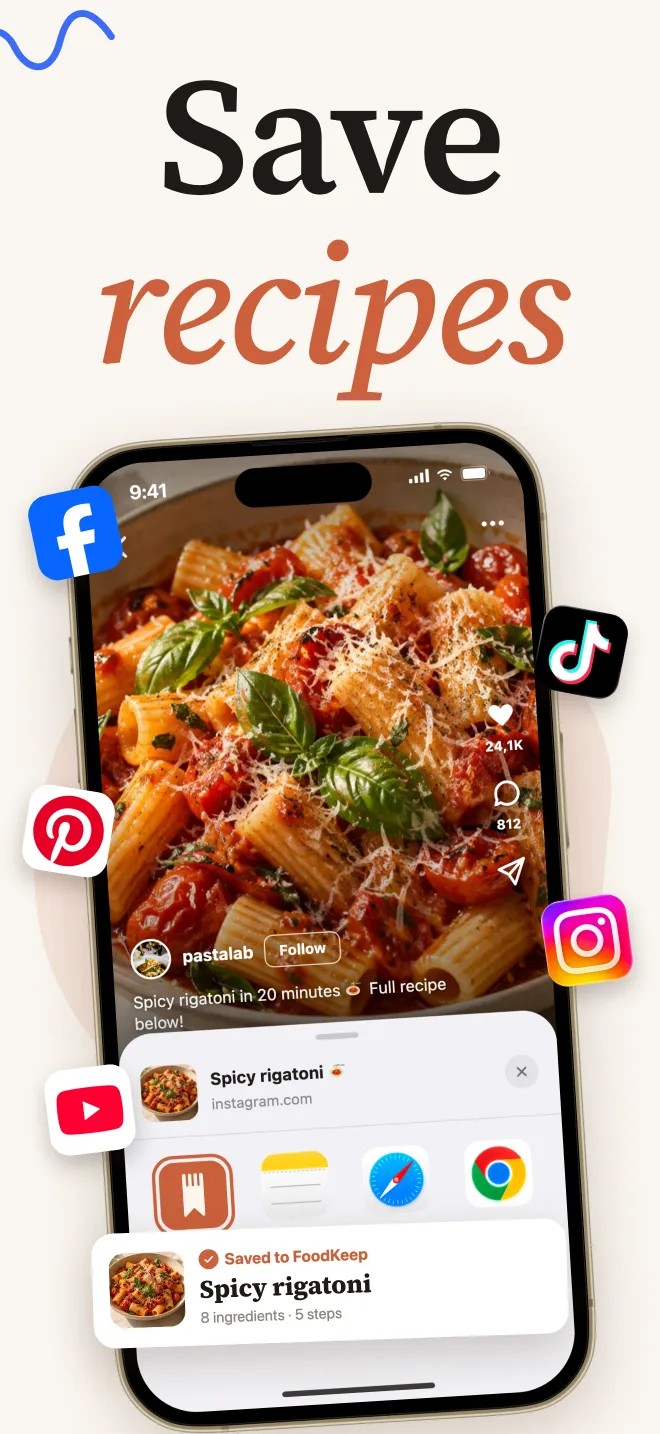
A recipe keeper reads what the creator wrote — the caption and any linked recipe page — and builds a structured recipe you can edit. You keep the video link for reference and get a recipe you can actually cook from.
How to save a TikTok recipe with FoodKeep
- Open the video in TikTok and tap the Share arrow.
- Tap More (or Share to) and choose FoodKeep from the iOS share sheet.
- FoodKeep reads the caption and follows a linked recipe page when there is one.
- Check the draft: ingredients with quantities, steps and the original link.
- Fill in anything the creator only said out loud, then save it to a cookbook.
Good to know: FoodKeep works from text that's available to it. If a creator never writes the quantities down, you'll get a partial draft — add what you saw in the video and you're done.
Make TikTok recipes easier to cook
- Scale before you shop. Many TikTok recipes serve one or two. Change the servings and every quantity updates.
- Send ingredients to your grocery list. One tap adds them, sorted by aisle.
- Cook step by step. Big, readable steps with timers beat pausing a video with messy hands.
- Add your own notes. "Needed 5 more minutes in my oven" is the kind of detail you'll thank yourself for.
Frequently asked questions
Can I save a TikTok recipe without the video?
Yes. Once the ingredients and steps are written into your recipe, you don't need the video to cook. Keeping the original link is still useful for technique and for crediting the creator.
Why is my saved TikTok recipe missing quantities?
The creator probably showed or said them in the video without writing them in the caption or on a linked page. Watch once, add the quantities to your recipe, and it's complete.
Is there a way to save TikTok recipes on iPad?
Yes. FoodKeep runs on iPhone and iPad, and the share flow is the same on both.
Does this work for Instagram too?
Yes. Read how to save recipes from Instagram for the Instagram version of this guide.